Format
Configure the basic settings and format for your league.
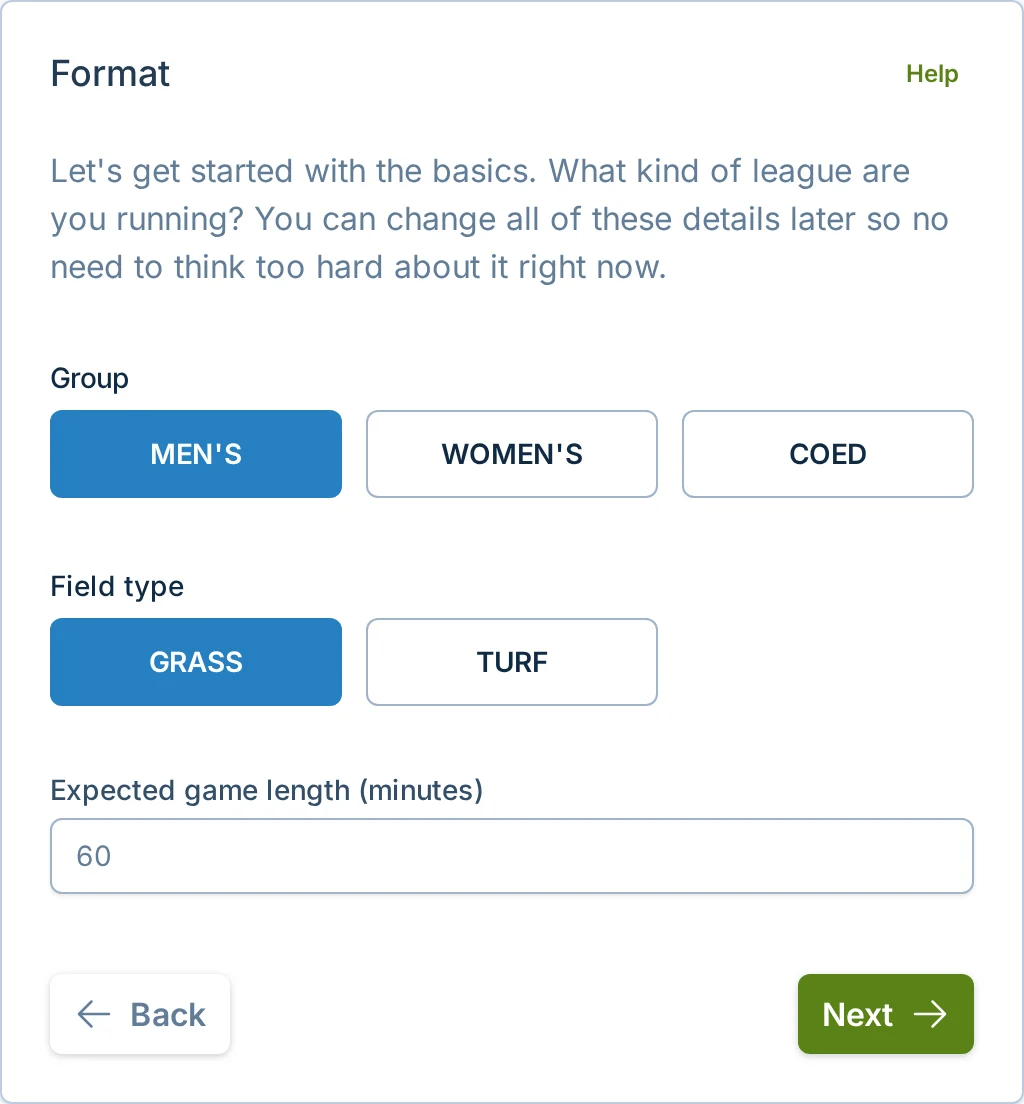
The Format page allows you to configure the basic settings for your league. You'll see a form that looks like this:
What This Page Controls
Format is where you describe the kind of league you are running. These settings help players understand whether the league is a good fit, and they give slowpitch.love the basic information needed to create schedules and score forms.
This page covers the basics players see during registration and the details slowpitch.love uses for scheduling, such as group, field type, expected game length, and any team size, skill level, or play-to settings shown in the form.
Group
Group describes who the league is intended for, such as men's, women's, coed, boys, girls, or youth.
Choose the best option shown in the form. If none of the options match the league you are trying to run, contact support before the schedule is created.
Field Type
Field type describes the playing surface or venue type for this league.
This setting helps players know what kind of league they are joining. It can also affect how slowpitch.love labels schedules, registration pages, and public league cards.
Expected Game Length
Expected game length matters because slowpitch.love uses it when laying out time slots. If you shorten or lengthen it before the schedule is created, your available time window may fit a different number of games.
What This Page Does Not Control
The Format page does not let you choose every standings or scoring format.
Fresh leagues start with game win percentage, overall run differential, then head-to-head. Copying a past league carries over its standings settings. After creation, open Standings → Customize ranking to change the rules or their order. See Standings and Scoring.
Editing Format Later
Before the league starts, managers with permission can edit format details from the pre-schedule summary page.
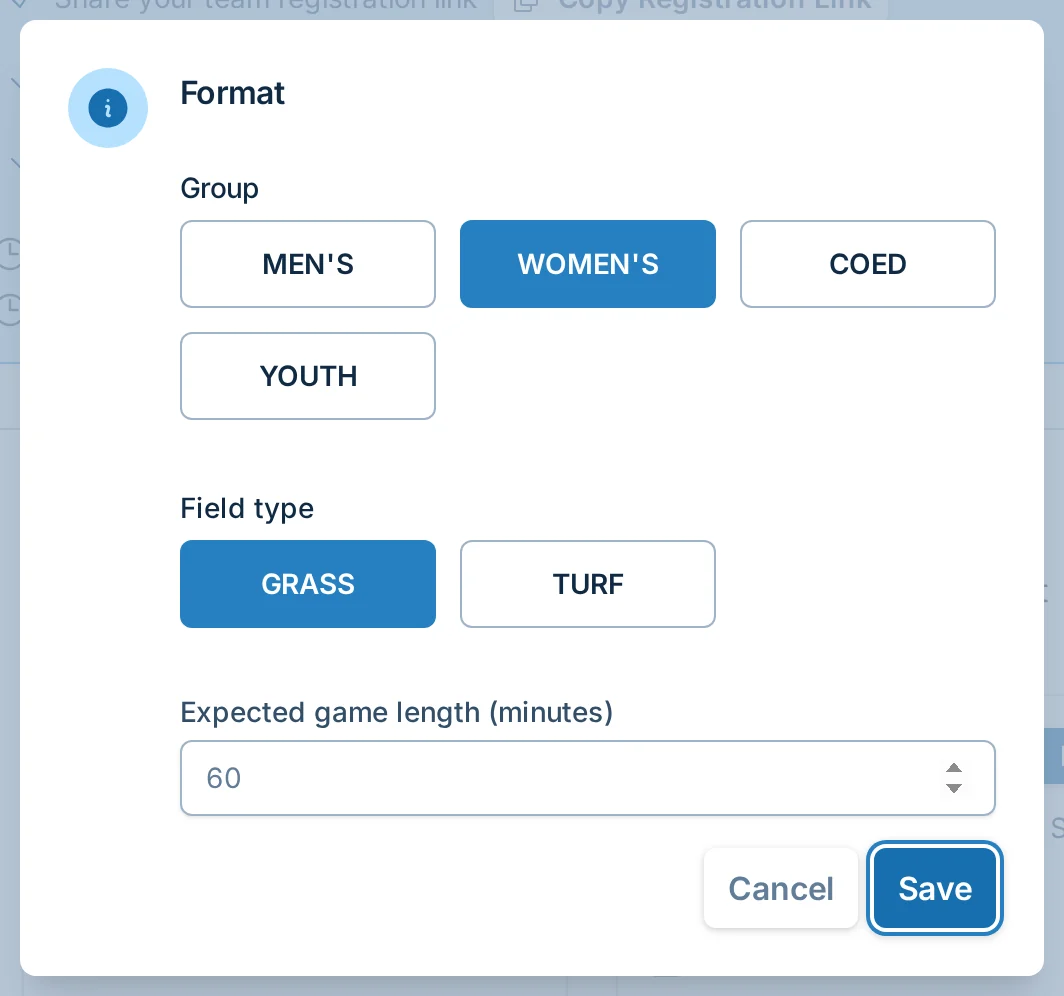
Use this when you need to fix details like group, field type, game length, or another format setting shown in the dialog before the season is underway.
After a league has started, format changes are restricted because they can affect schedules, score entry, standings, and player expectations. If you need to change format details after the season begins, contact support.
Saving Your Progress
Your progress is saved when you click "Next" or "Back" in the wizard. If you leave and come back on the same device, slowpitch.love can usually keep the league setup details you already entered.
If you do not see an option you need, use the "Contact Support" link in the app or contact us here.
Next Steps
When you've completed the Format settings, click "Next" to proceed to the Location settings.