Late Registration
Keep registration open after your schedule is created to allow more teams to join.
Late registration lets teams join after your schedule has been created. This is useful when your league has open spots, or when a team drops and you want to give another team a chance to join.
When a team joins late, slowpitch.love creates an updated schedule for you to review. Past games, and games happening soon, are left alone.
Enabling Late Registration
You can enable late registration from the Registration Settings dialog. At the bottom, you'll find a "Late Registration" section:
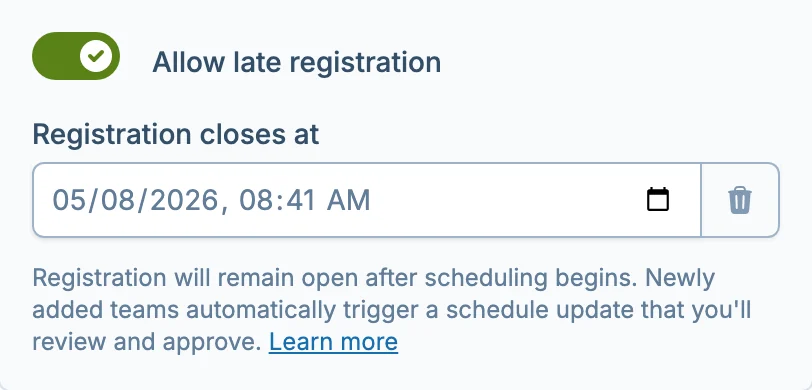
Toggle the switch on and pick a cutoff date. This is the last day teams will be able to register. You can set it up to 21 days after your league start date.
You can enable or change late registration at any time — during registration, after scheduling starts, or even once the league is underway. Just open Registration Settings from the progress bar or schedule page.
How It Works
Once late registration is enabled:
- Registration stays open. Teams can register through your normal registration link even after scheduling begins.
- Schedule updates automatically. When a new team joins, we'll create an updated schedule that includes them. You'll review and approve it before it goes live.
- Upcoming games are preserved. Games that have already been played or are happening within the next two days will not be affected. Only the remaining schedule is updated.
You don't need to do anything special when a team joins late.
Each late team registration requires us to create a new schedule. Every league includes a limited number of free schedule changes — if many teams register late, additional changes may incur a fee. See Schedule Change Fees for details.
What You'll See
During Scheduling
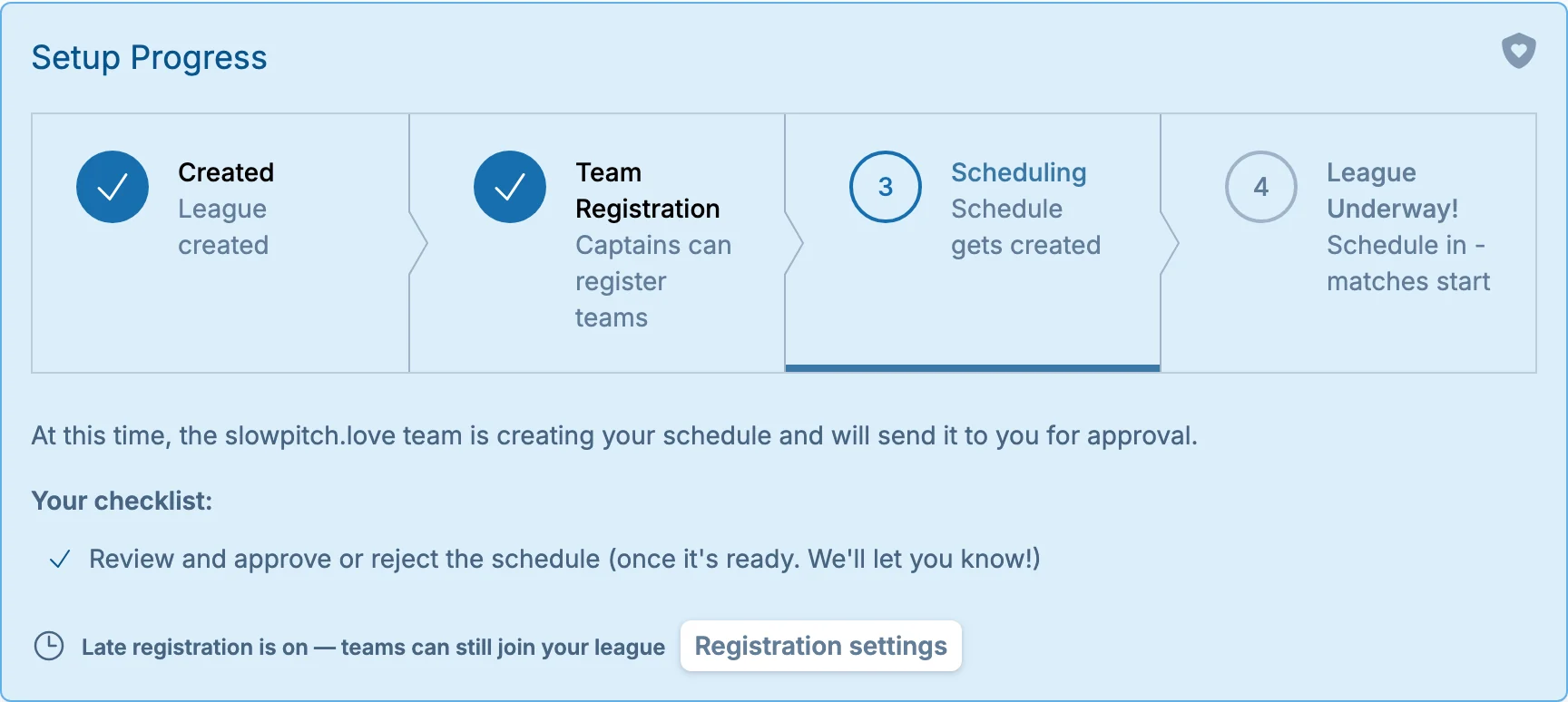
If late registration is active while your schedule is being created, the progress bar will indicate that teams can still join:
Once the League is Underway
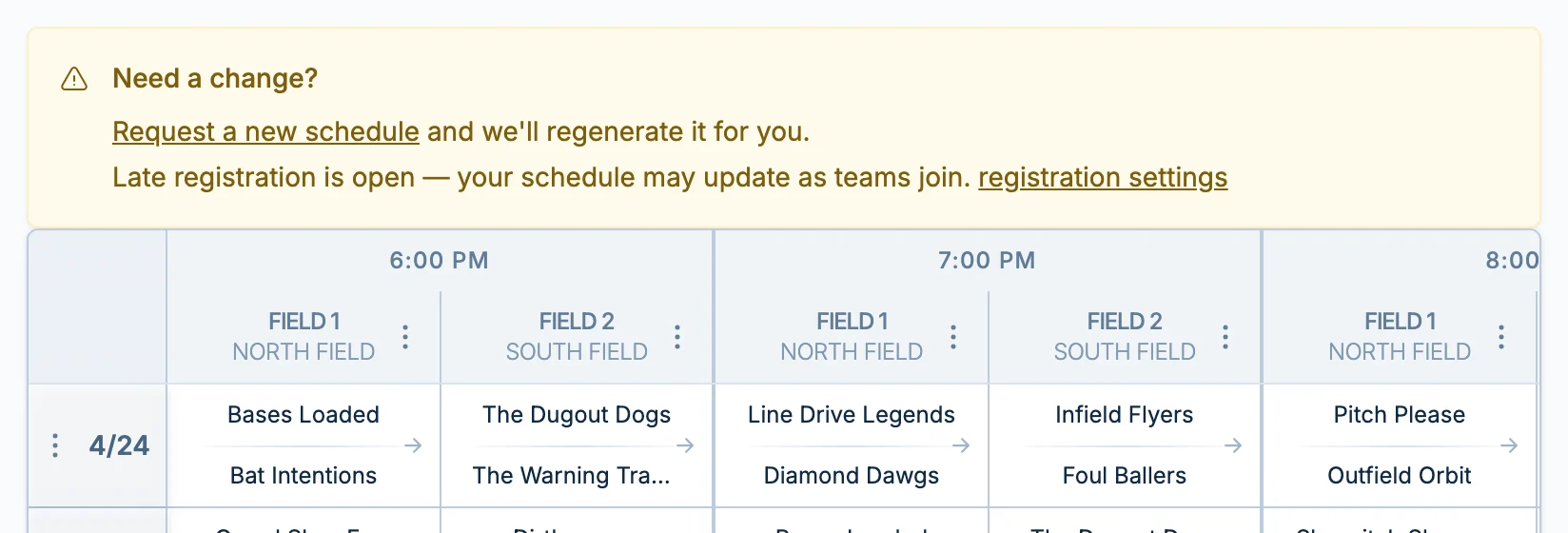
When your league is in progress with late registration enabled, you'll see a banner on the schedule page with quick access to registration settings and the option to request a new schedule:
When a Team Joins Late
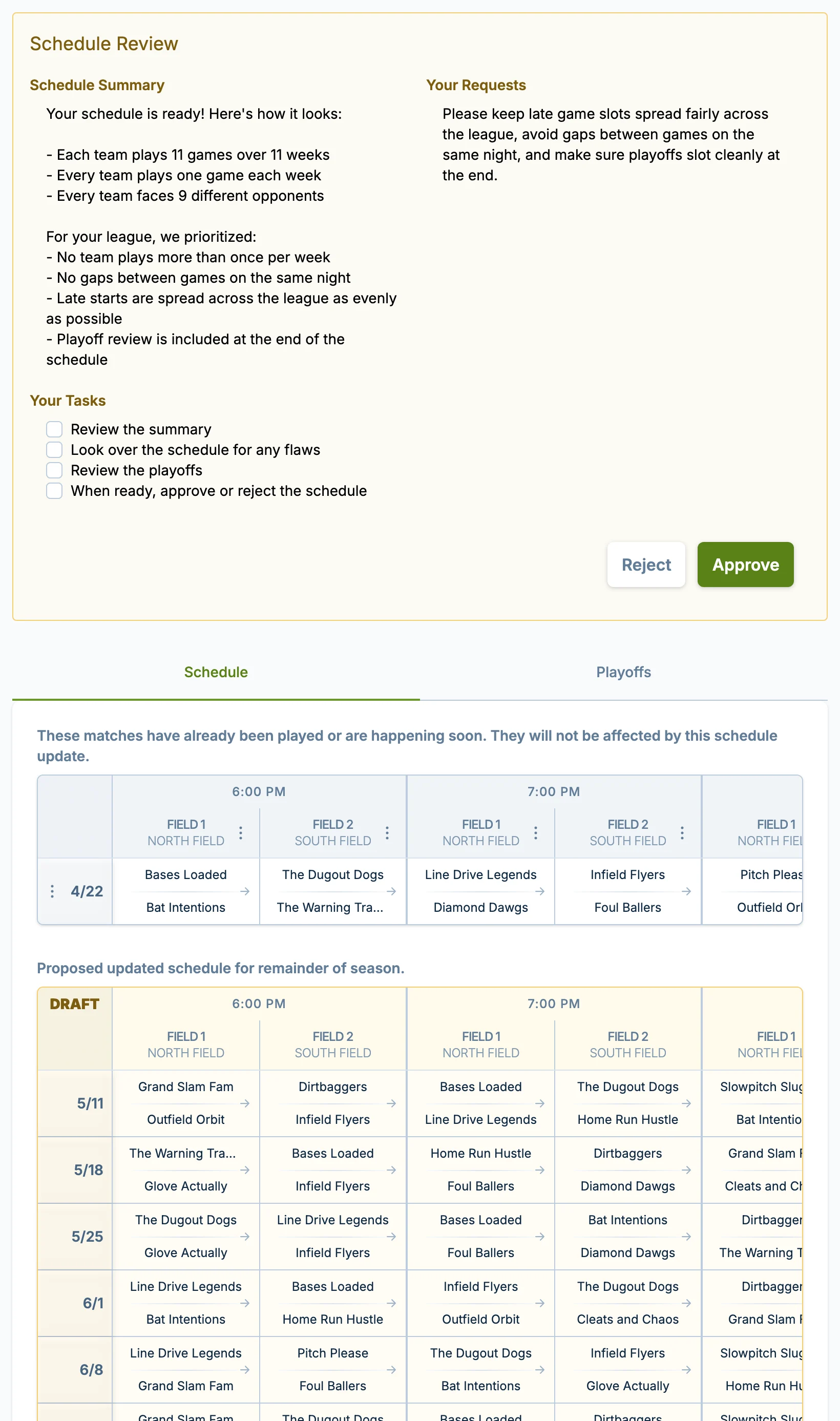
After a new team registers through late registration, we'll automatically create an updated schedule. If you add the team manually, the schedule only updates when you choose "Create a new schedule" in the add-team dialog. During this time:
- Games already played or happening within the next two days are shown in their own section and won't be affected.
- The rest of the schedule is rebuilt to include the new team.
- You'll review and approve the updated schedule before it goes live.
Players will see their existing upcoming games along with a message that an updated schedule is on the way.
If a Team Drops
If a team drops and late registration is already open, you do not need to do anything. Teams can still join until the cutoff date, as long as your league has space.
If registration is closed when a team drops, you may see a prompt to reopen registration. The prompt appears when the league has open spots and registration can still be reopened within the late-registration window.
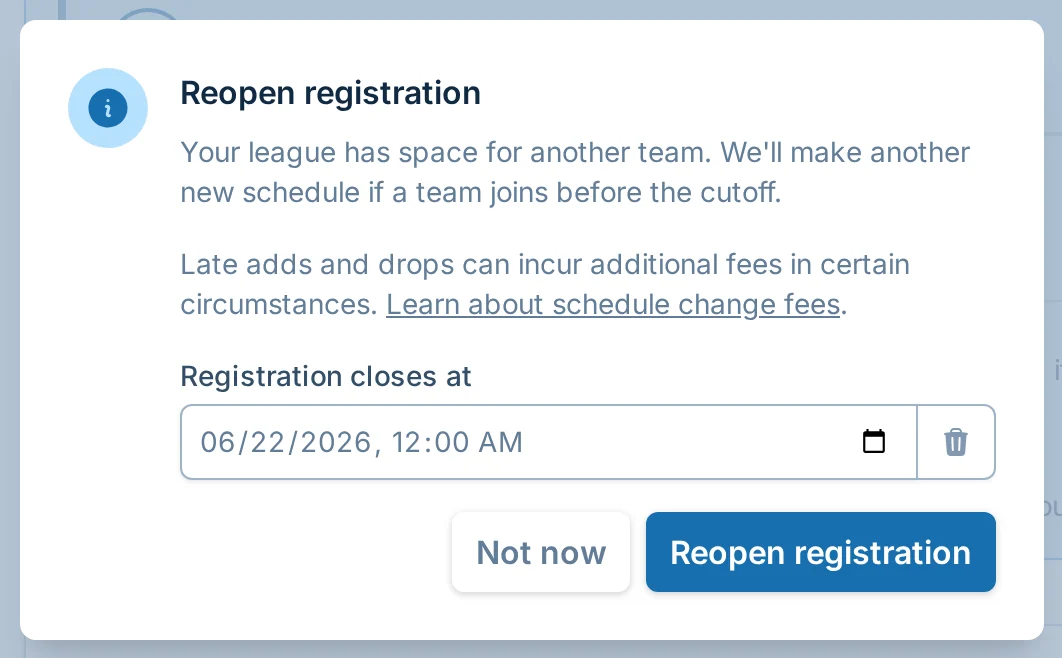
Choose a cutoff date and save. If a new team joins, we will make a new schedule and send it to you to review. If no one joins, your current schedule stays as-is.
When Your League Fills Up
If your league reaches the maximum number of teams, new registrations stop because the league is full. You do not need to turn late registration off.
If a spot opens before the cutoff date passes, teams can register again immediately.
Adding Teams Manually
You can also add teams yourself at any time using the "Add team" button in the teams table. If a schedule already exists, choose whether to keep the schedule as-is or create a new schedule that includes the team.
For more details on manually adding teams, see Managing Teams.